Checking the Status of Fluency Agents For Your Team
Last updated: April 20, 2026
If you prefer, you can watch the video walkthrough instead. If not, follow along below.
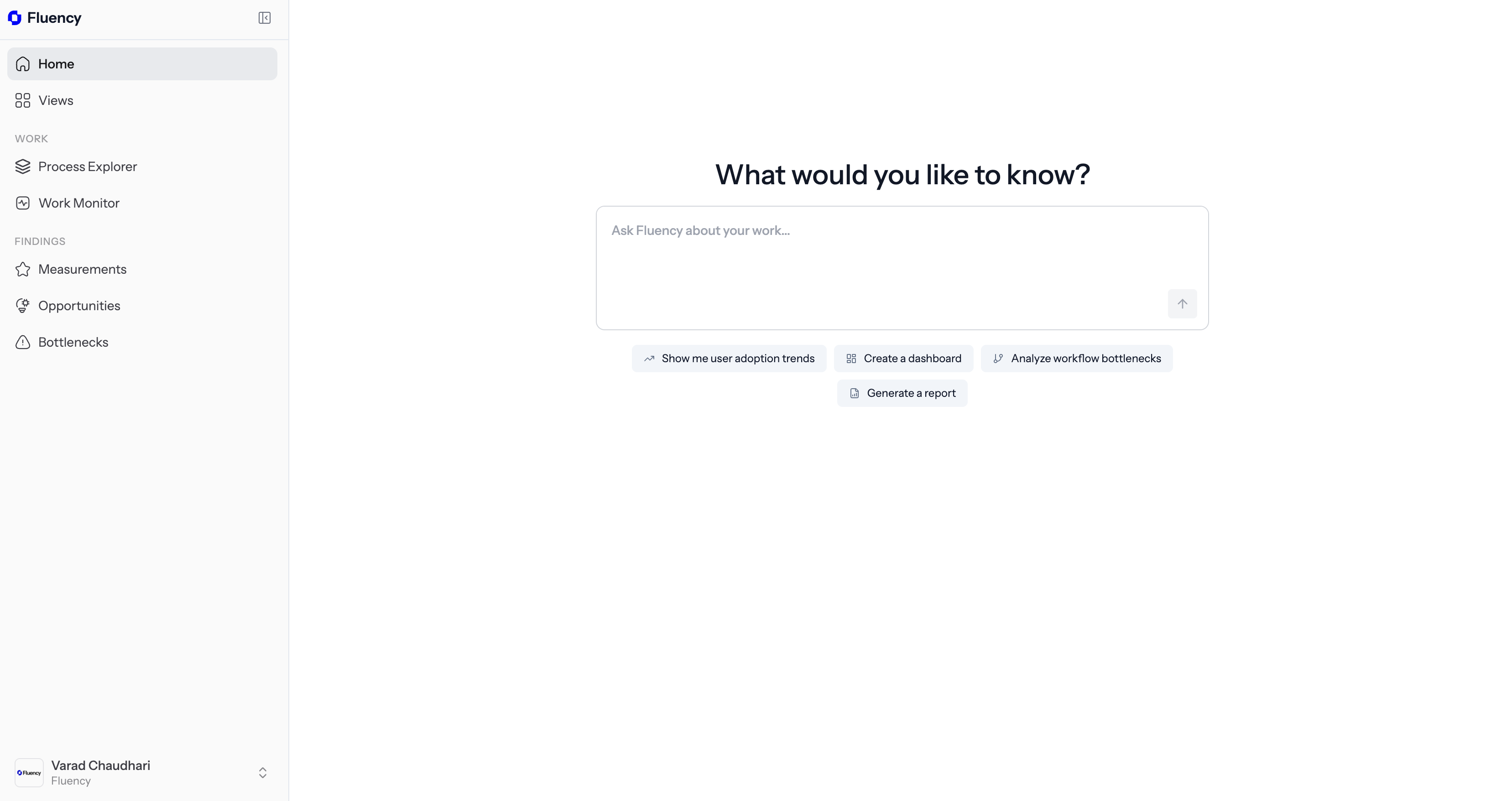
1. Open the Fluency Portal on the Web
Navigate to dashboard.usefluency.com to launch the Fluency portal to get started.
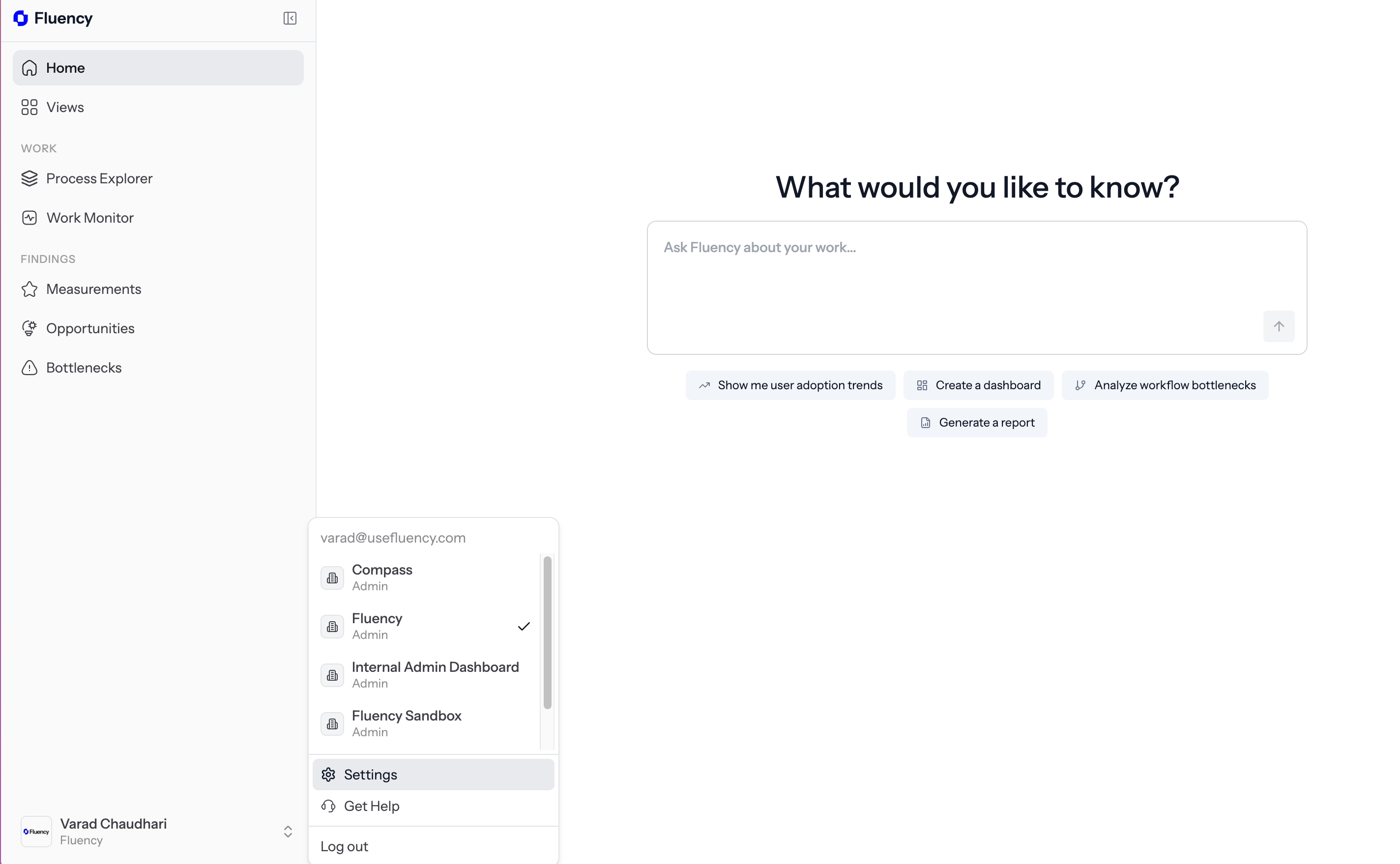
2. Navigate to Settings
Click on the bottom left sidebar to open options and then click on Settings.
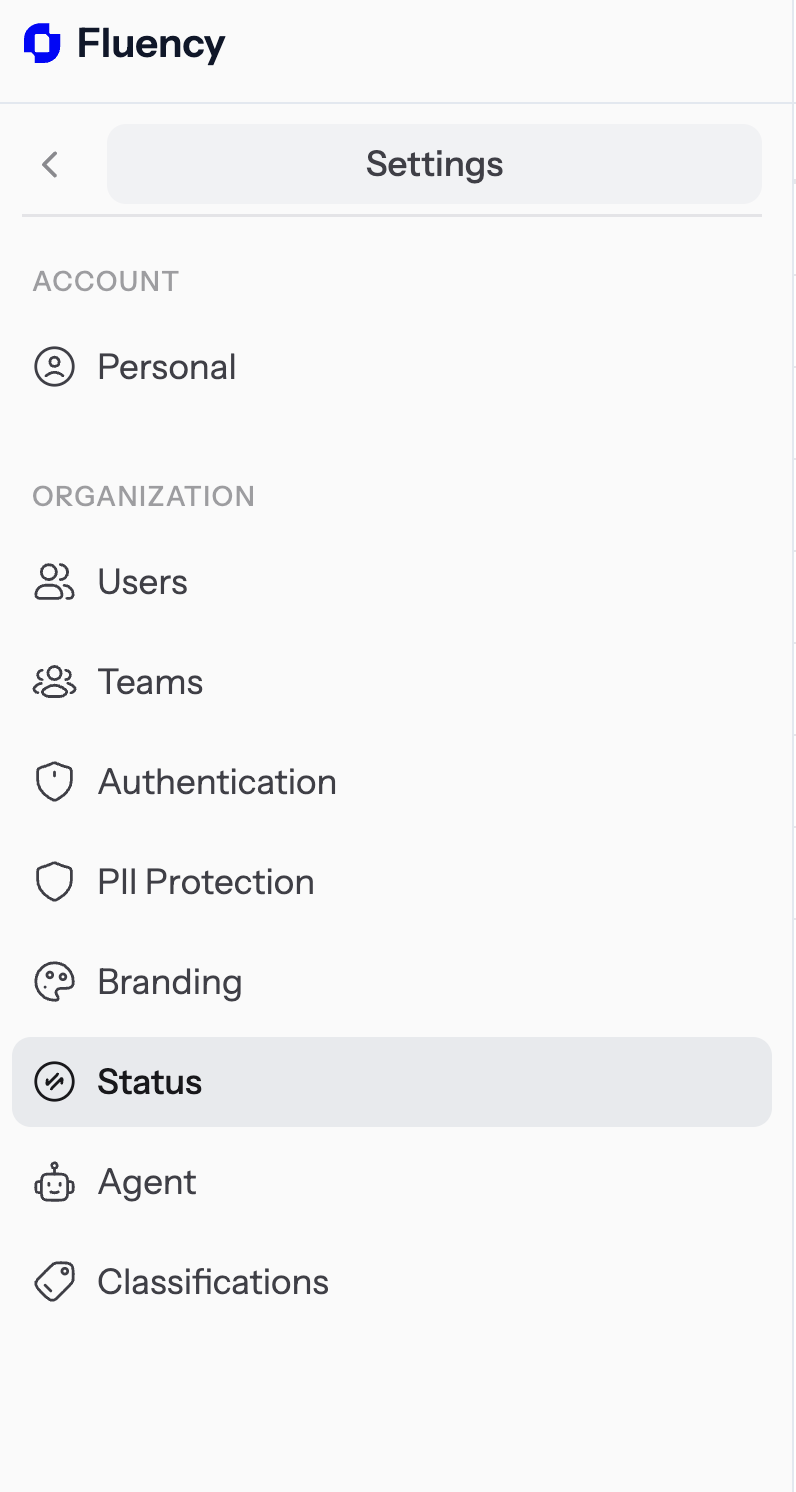
3. Navigate to the Status Option
Click on Status on the sidebar underneath the organization umbrella category.
4. Check the Status of Fluency in Your Team
Here you can see the status of the agent: whether it is "running" or "paused."
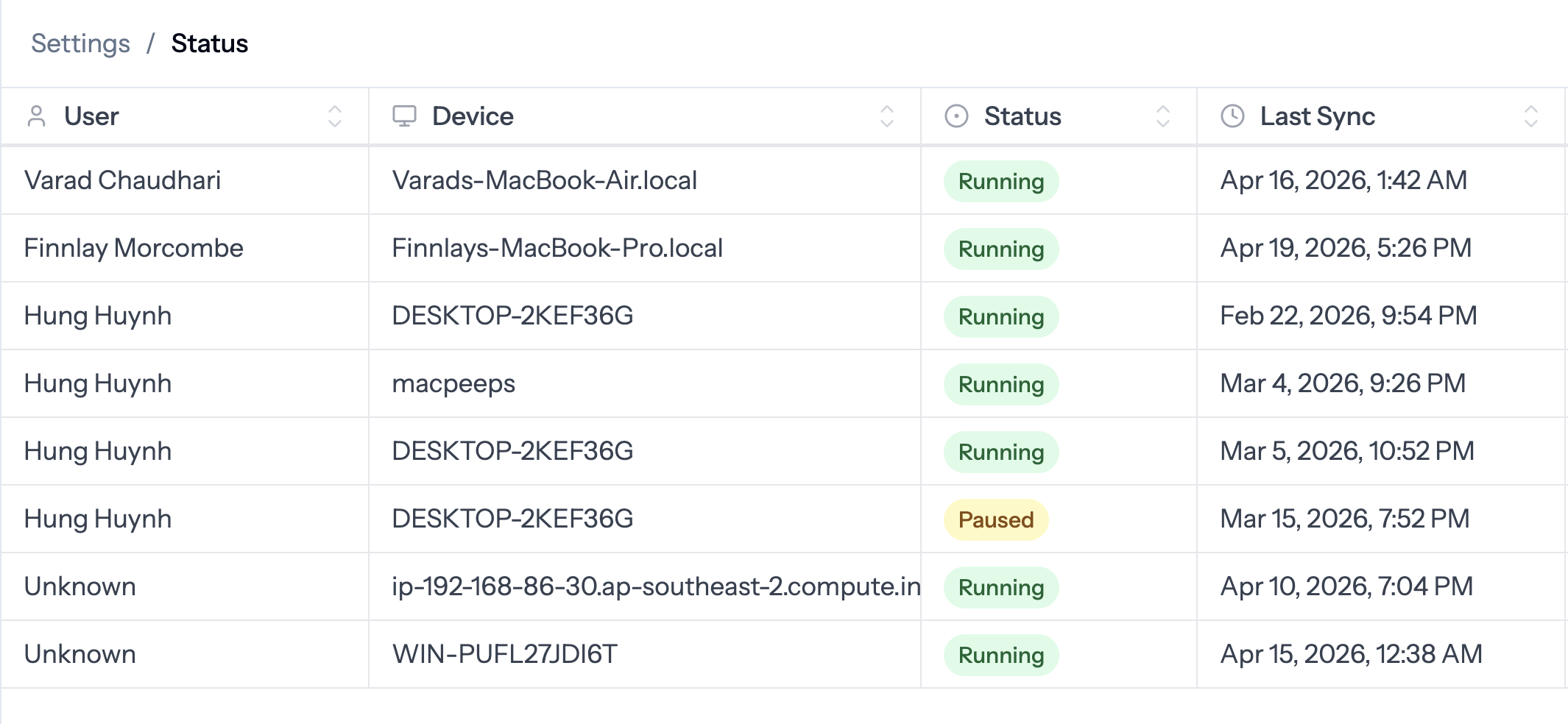
We highly recommend making sure Fluency is running as frequently as possible for all users. This allows you to accumulate maximum context and insight into your business.